


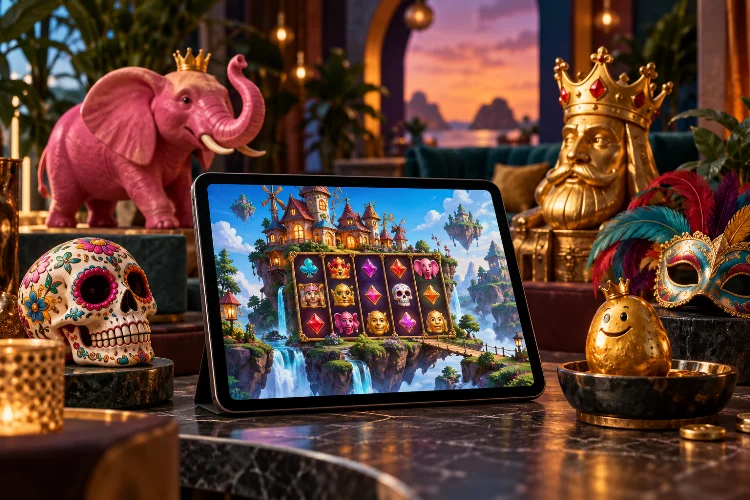
Some slot studios stay close to familiar themes: ancient Egypt, generic fruit machines, or polished fantasy worlds. Thunderkick often takes a stranger route.
Singing skeletons, mystical pink elephants, explosive potatoes, golden kings, and over-the-top carnival characters all have a place in its catalogue.
That personality is a big reason Thunderkick Slots are easy to recognize. The Swedish studio has been operating since 2012 and reached its 100th game milestone in 2026.
Its games mix unusual themes with mechanics designed around the world on screen rather than simply placing a new skin over the same formula.
Thunderkick Builds Games Around Strong Visual Ideas
Thunderkick describes itself as an independent Stockholm studio where game design, development, artwork, and feature creation are handled in-house.
That matters because its themes often feel connected to the mechanics rather than added afterward.
Esqueleto Explosivo is a good example. The Day of the Dead theme is not limited to skull artwork. Singing skeleton Wilds, dropping symbols, and escalating Mucho Multipliers all contribute to the same chaotic fiesta atmosphere.
The result feels more coherent than a game where the artwork says one thing but the mathematics could belong to any slot.
This kind of thematic integration has become one of Thunderkick’s strongest identities.
Esqueleto Explosivo Turns a Fiesta Into a Game Mechanic
Few Thunderkick franchises are as recognizable as Esqueleto Explosivo.
The original uses five reels, 17 paylines, dropping symbols, Explosivo Wilds, and Mucho Multipliers. Interestingly, Thunderkick lists the original version as low volatility with a maximum exposure of 700x.
Later versions push the idea further.
Esqueleto Explosivo 3 moves to a 5×5 cluster-pay grid and uses Avalanche wins instead of standard line wins.
Explosivo Wilds can contribute to repeating cascades, while the Mucho Multiplier builds during successful sequences. Thunderkick classifies this version as high volatility with a maximum exposure of 7,500x.
That evolution shows how the studio revisits a familiar character without simply repeating the same game.
The skeleton band remains recognisable, but the underlying mechanics become much more modern.
Pink Elephants Shows Thunderkick’s Surreal Side
If Esqueleto Explosivo is loud and festive, Pink Elephants is deliberately surreal.
The series uses tribal characters, mystical peanuts, glowing environments, and an alternate pink dimension. The original game includes Mystery Scatters, Free Spins, symbol transformations, and retriggers.
Later entries build on the same strange visual language.
Pink Elephants Trinity begins with 4,096 pay ways and includes Sticky Wilds, Mystery Scatter mechanics, a six-level Bonus Game, and an End Game that can expand the layout to 16,384 pay ways. Thunderkick lists the title as very high volatility with maximum exposure of 14,400x.
The theme works because it is unusual enough to become memorable.
Instead of another standard jungle slot, the game creates its own mythology around elephants, rituals, and magical peanuts.
It sounds absurd on paper, but that is partly the point.
Midas Golden Touch Mixes Familiar Myth With Modern Features
Thunderkick does not avoid traditional casino themes completely.
The difference is how it handles them.
Midas Golden Touch uses one of the oldest mythological stories imaginable, but the modern versions add mechanics such as Multiplier Wilds, sticky wins, Free Spins, retriggers, and feature progression.
Midas Golden Touch 3 uses 15 paylines and a high-volatility model with maximum exposure of 15,000x. Between one and five Wilds on a winning line can create multiplier values from x2 up to x32. Triggering more scatters also increases the starting Epic Wild Multiplier inside the Bonus Game.
This is a useful example of Thunderkick’s approach to familiar themes.
Greek mythology itself is not unusual in online slots. The mechanical treatment makes the game feel more distincitve.
Hot Potato Turns Fast Food Into Controlled Chaos
A potato is not an obvious slot hero.
That did not stop Thunderkick.
Hot Potato uses a 7×7 cluster-pay grid filled with fast-food imagery. Five or more matching symbols create a win, while Exploding Wilds can cover a 3×3 area and leave multiplier positions behind. Those multipliers begin at x2 and can build up to x128.
Three scatters trigger ten Free Spins, where the multiplier grid becomes persistent.
This is where theme and mechanics work especially well.
The entire game revolves around a dangerously unstable potato exploding across the grid. The feature literally destroys symbols and leaves stronger positions behind.
That is much more memorable than simply adding a potato character beside conventional reels.
The idea may sound ridiculous, but the mechanical logic is suprisingly clear.
Carnival Queen Turns Avalanche Wins Into a Street Party
Carnival Queen 2 uses another theme that naturally suits repeated movement.
The six-reel slot begins with 5,040 pay ways and uses random reel heights. Winning combinations trigger Avalanche mechanics, while Exploding Wilds can modify the grid and increase the available ways to win up to 117,649.
Inside the Bonus Game, Free Spins combine with a persistent Infinite Multiplier that grows after Avalanche wins.
The carnival setting supports that structure perfectly.
Symbols keep falling, reels change, fireworks and colour dominate the screen, and each successful chain keeps the rhythm moving.
Thunderkick could have attached those mechanics to almost any theme. Using a festival environment makes the repeated action feel much more natural.
This kind of thematic logic is one reason the studio’s visual concepts tend to feel more cohesive than generic casino designs.
Thunderkick Is Comfortable With Weird Characters
Thunderkick’s catalogue has become increasingly character-driven.
By 2026, the company had reached 100 released games, and its own retrospective highlighted recurring figures such as King Midas, the Pink Elephants, the Wildos, and the skeleton mariachi band.
That continuity gives the portfolio a loose shared identity.
Players may not know every individual title, but certain characters or visual styles become immediately asociated with the studio.
The provider also keeps introducing new settings. Recent 2026 releases include Meso-American ruins in Serpentico Smash, mythic warriors in Bjorn, and new entries in existing franchises such as Hot Potato Battleground.
This mixture of sequels and new ideas helps the catalogue feel familiar without becoming completely repetitive.
Creative Themes Do Not Mean Simple Mathematics
Thunderkick’s playful artwork can make some games look lighthearted.
That does not necessarily mean the mathematical model is gentle.
Several modern titles are classified as high or very high volatility.
For example, Carnival Queen 2 is high volatility with maximum exposure of 25,000x, while Pink Elephants Trinity is listed as very high volatility with maximum exposure of 14,400x.
This contrast is worth remembering.
A funny character or colourful design says nothing about payout distribution.
Players should still check volatility, RTP, maximum exposure, and bonus rules separately.
The visual theme tells you what kind of world you are entering. The game information tells you how the mathematics actually behave.
Thunderkick Slots stand out because their themes often shape the mechanics rather than merely decorating them. Singing skeletons use exploding Wilds, a dangerous potato destroys a cluster grid, and carnival wins keep cascading like an endless parade.
If you enjoy games with strong visual identity, unusual characters, and mechanics that match their themes, exploring Thunderkick’s catalogue can be more interesting than simply choosing by maximum payout alone.